
Aqari
Bilingual real estate web application
- Concept project
- React / Vite / JavaScript / Tailwind CSS / Supabase / PostgreSQL / Vercel
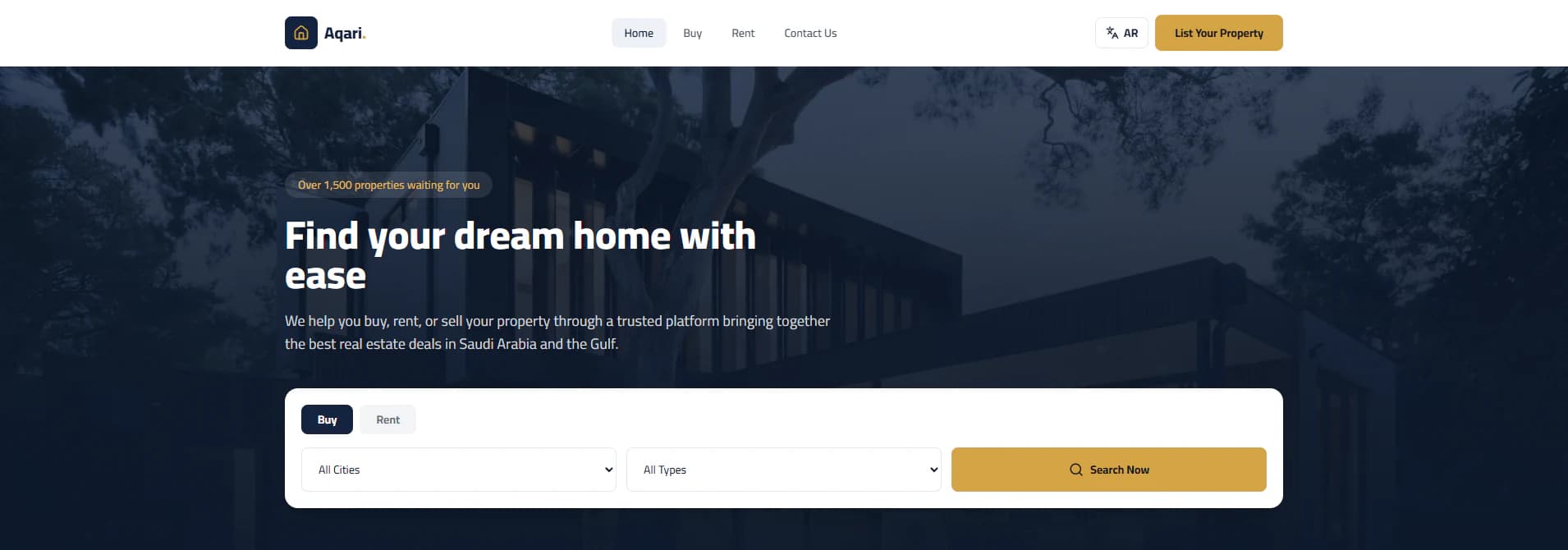
Aqari is a concept project — a bilingual real estate web application built to show a complete property platform end to end: a public website where people browse and submit properties, and a dashboard where those properties are reviewed and managed.
Visitors browse properties for sale or rent and open each property’s details. Owners, brokers and real estate companies can submit a new property without creating an account — the form collects the property information and contact details, and every submission is reviewed by an administrator before it goes live.
- Concept project
- Design & full-stack development
- Arabic / English
- Owners, brokers, real estate companies, buyers & renters
- Vercel
- UI design & implementation
- Frontend development
- Backend functionality
- Database integration
- Property submission workflow
- Property management
- Admin dashboard
- Request management
- Responsive layouts
- Arabic & English support
- Deployment
The design started from Figma references and was developed and customised into the final interface — from the overall layout down to individual components and details.
The public website
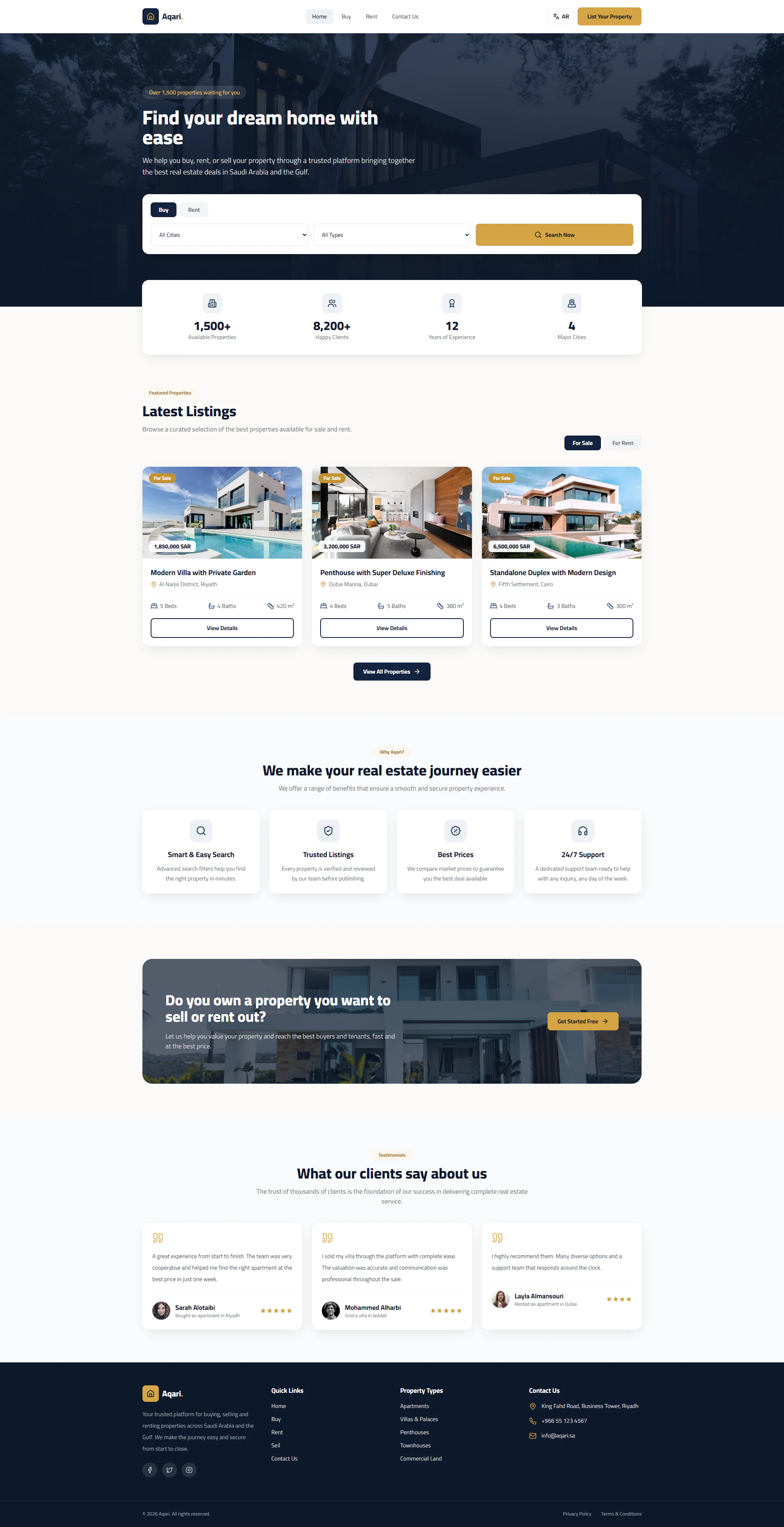
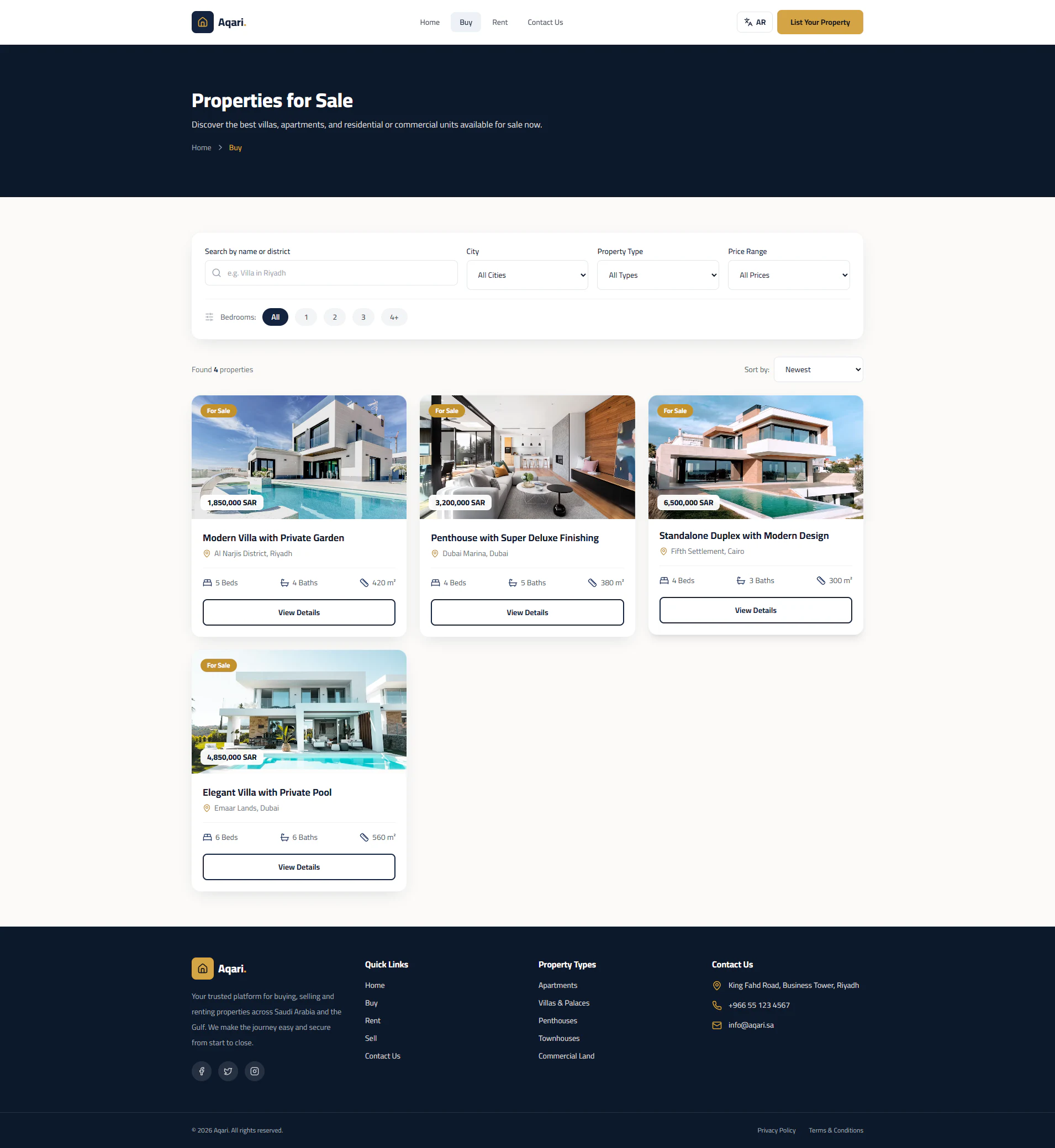
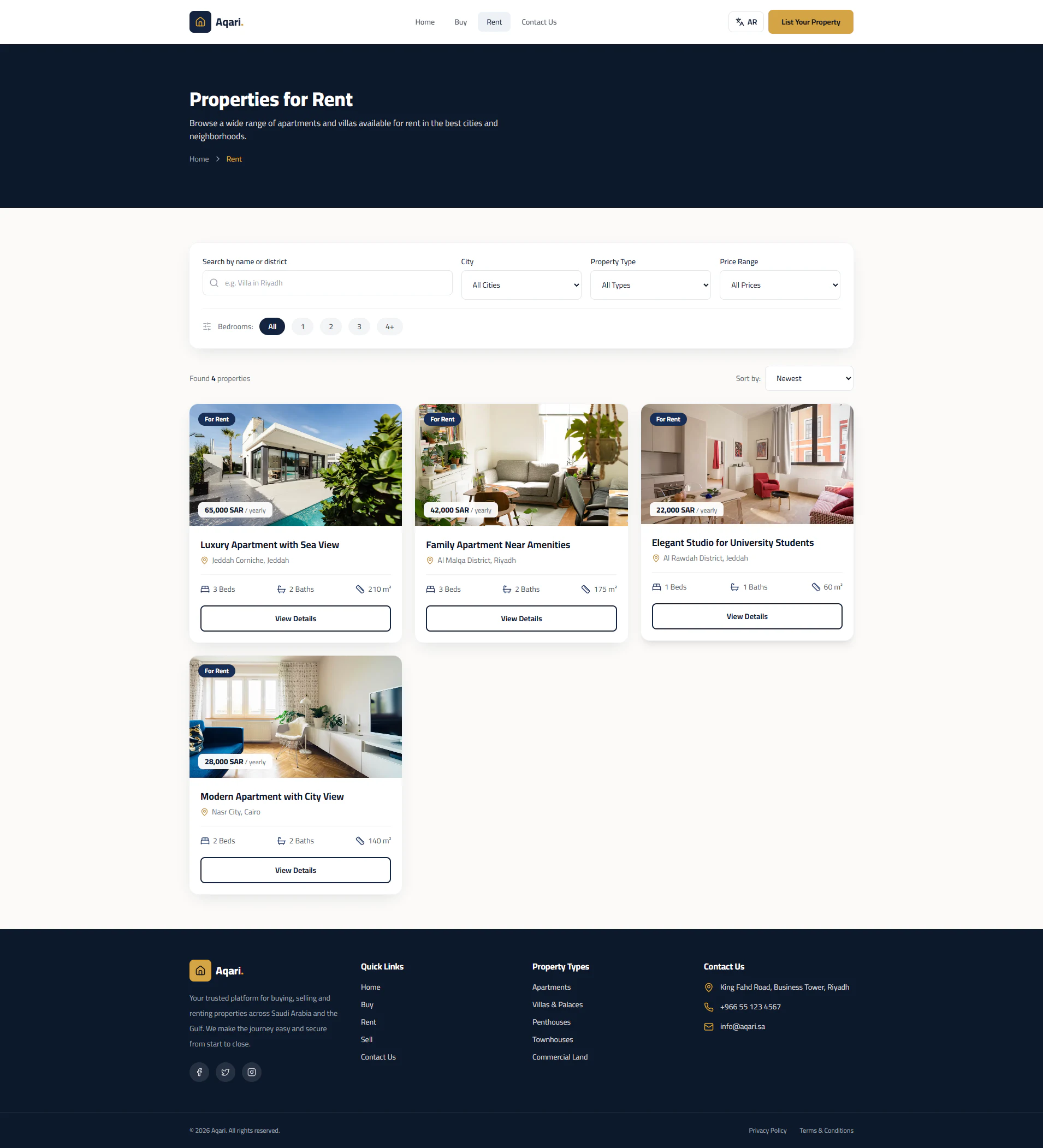
The public site is the heart of the project. A home page introduces the platform with a buy / rent search, dedicated Buy and Rent sections list the available properties, and every property opens into its own details page.
- Home page with a buy / rent search by city and property type
- Separate Buy and Rent sections with search, city, type, price and bedroom filters, and sorting
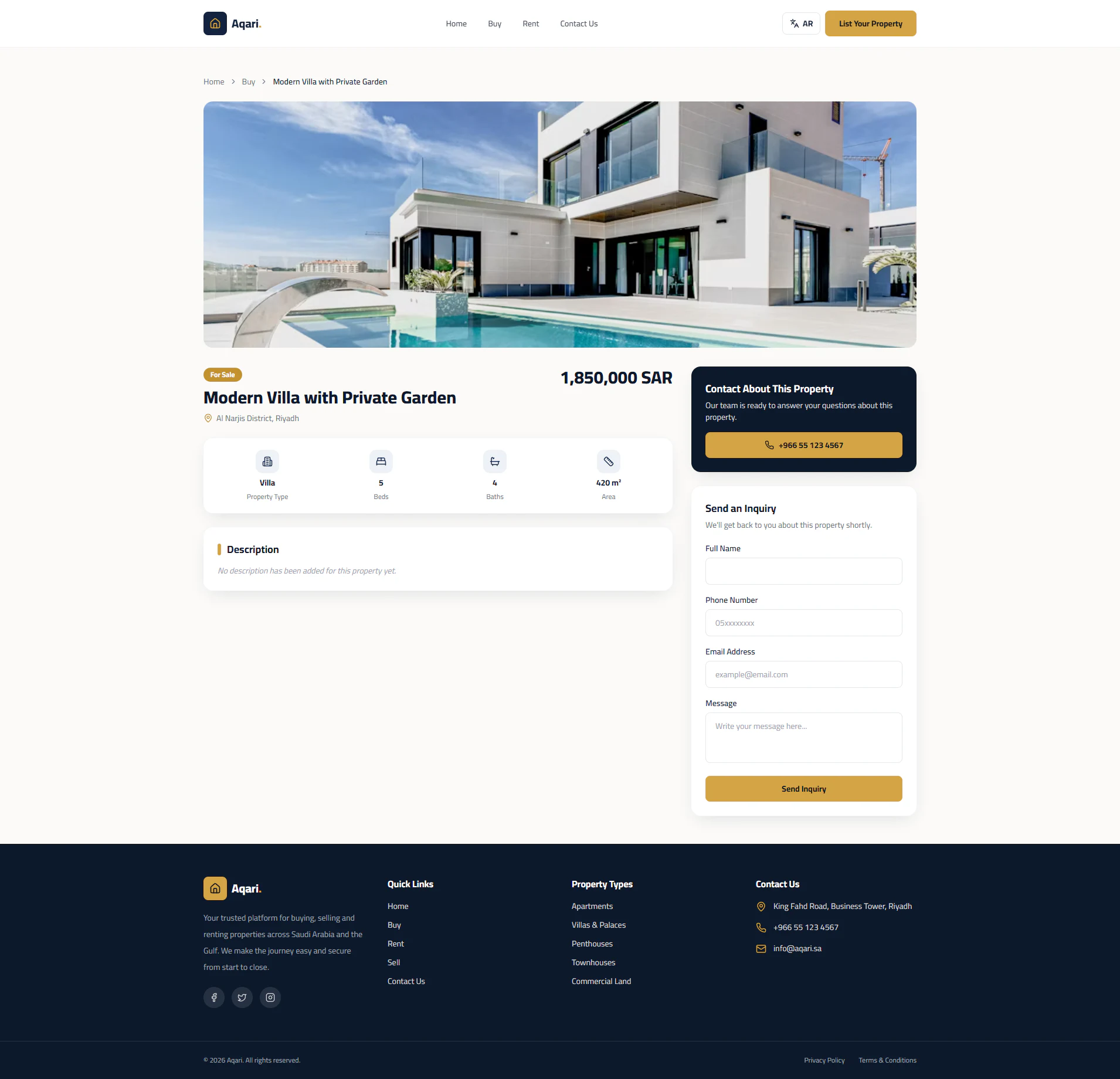
- Property cards showing price, location, rooms, bathrooms and area
- Property details page with key facts, description and an enquiry form
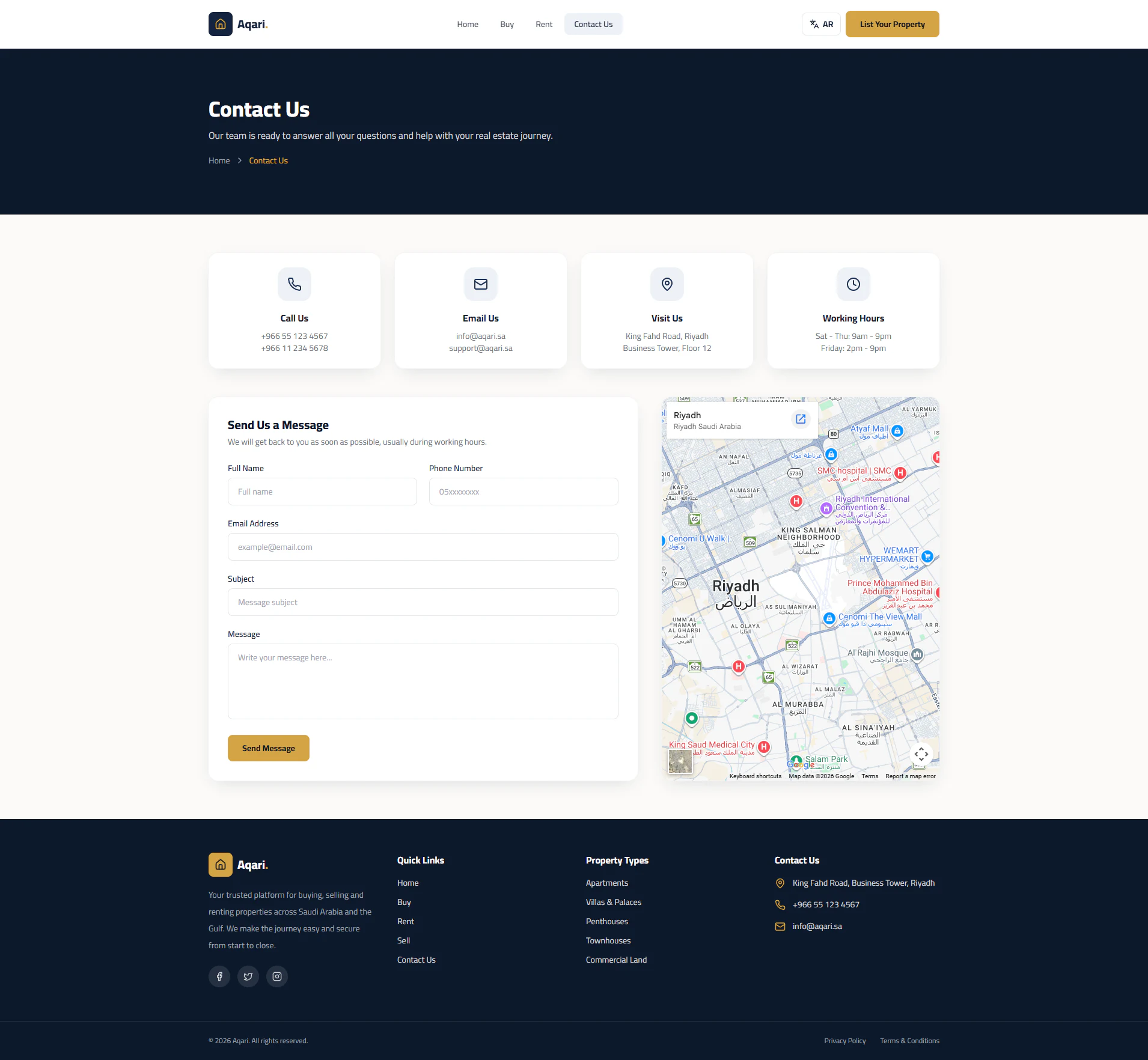
- Contact page with contact details, a map and a message form
- Responsive layouts for desktop and mobile
Property submission
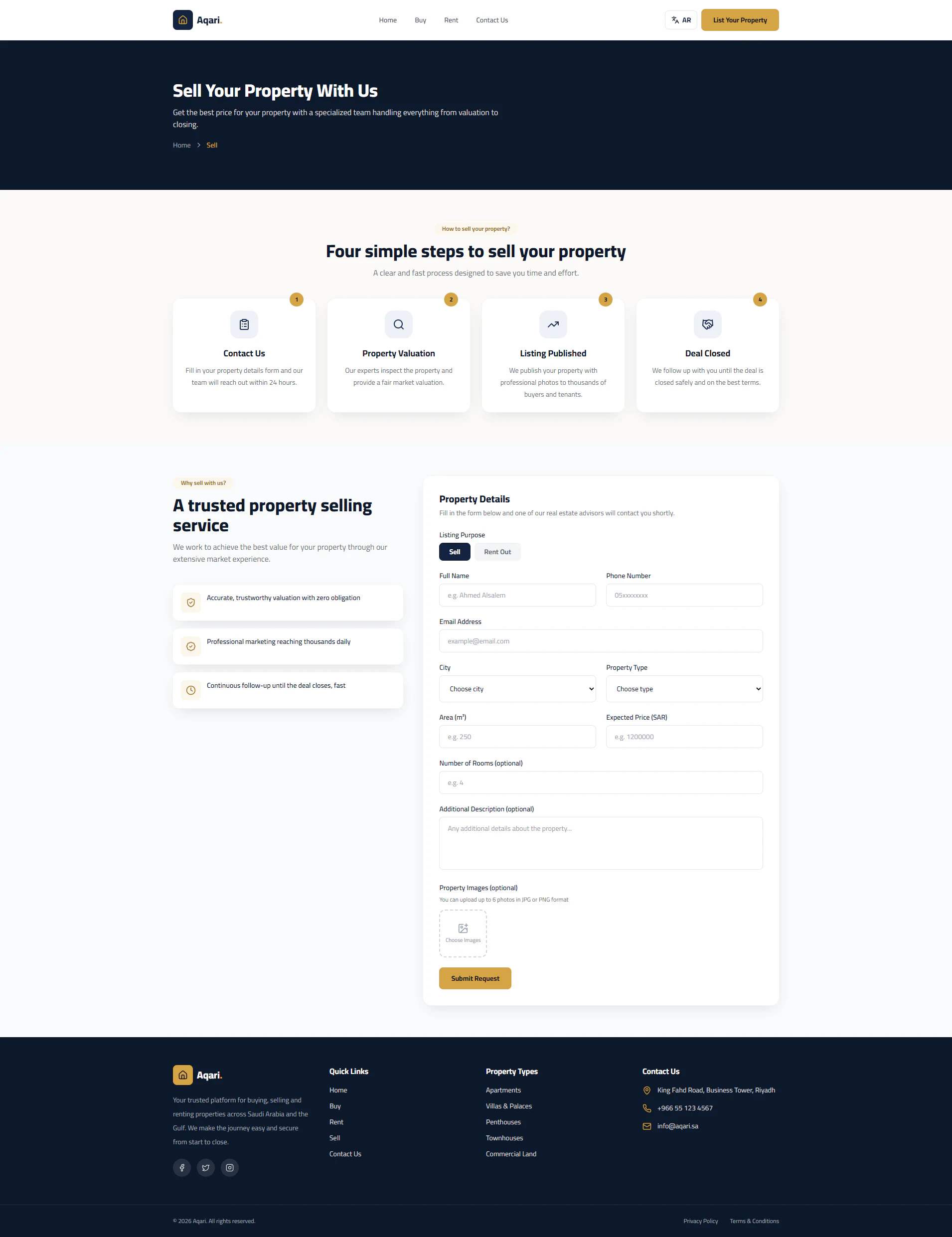
Anyone with a property can list it without an account. The submission form collects the purpose (sale or rent), contact details, city, property type, area and expected price, with optional rooms, description and up to six photos — then sends it for review.
- I
Submit
The property and contact details are filled in on the public form.
- II
Review
The submission arrives in the dashboard as a request.
- III
Decide
The administrator accepts or rejects the request.
- IV
Manage
Accepted properties are managed like any other listing.
The admin dashboard
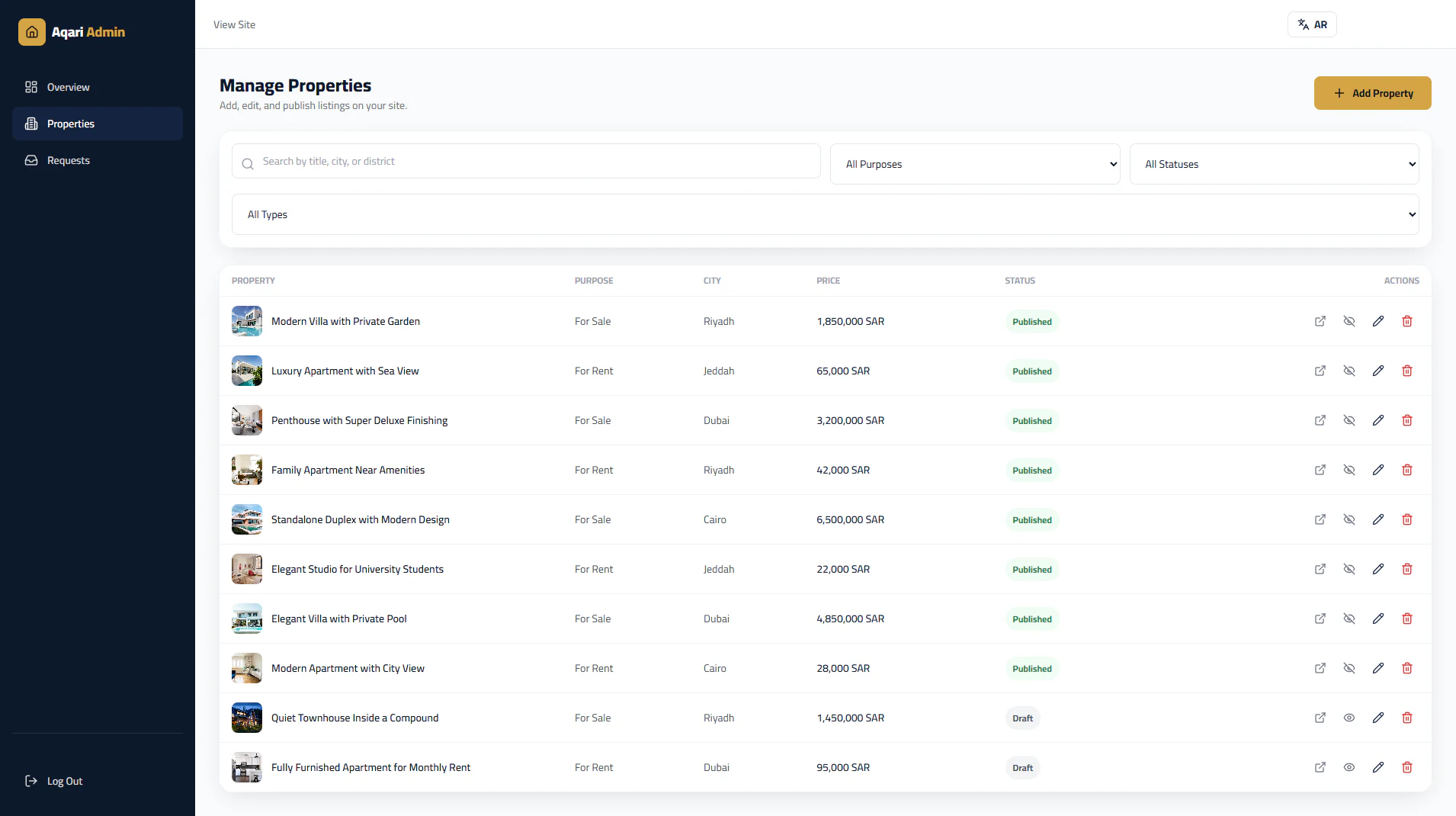
Behind the public site sits an admin dashboard for running the platform: an overview of listings and requests, full property management, and the review queue for incoming submissions.
- Overview statistics for properties, published listings, drafts and pending requests
- Create, edit and delete properties
- Publish listings or keep them as drafts
- Search and filter by status, purpose and property type
- Review incoming submissions and accept or reject them
Arabic & English
The whole application is built for two languages: English, shown in the screens above, and Arabic with a right-to-left layout. A language switch in the navigation of both the public site and the dashboard moves between them.
Technologies used in Aqari
- ReactComponent-based interface for the public site and dashboard
- ViteDevelopment server and production build
- JavaScriptApplication logic
- Tailwind CSSStyling and responsive layouts
- SupabaseBackend and data layer for properties and requests
- PostgreSQLThe database underneath Supabase
- VercelDeployment
From interface design to deployment: the public website, the submission workflow, the database, the admin dashboard and bilingual support.